This sprint I decided to change things up a little. There wasn't much in terms of art that was planned. I would help if necessary. I decided to take this sprint to learn a little bit about shaders. There was a little demonstration in class a few weeks back, but otherwise I never had any exposure/experience with shaders. The whole concept is confusing since, at least in unity, it requires a bit of programming knowledge.
Update
I'm not really getting the whole programming language behind the shader videos, so I was told that it might be helpful to learn so basic programming language. I'm going to try to learn a little bit of c programming. Hopefully this will make understand shaders a little easier. However, I'll be honest, this isn't the easiest/most exciting for me.
I'm still going over a majority of the animations. I realize that a on-hit type of animation would be useful, so that the user can see the character take the damage. Since I'm using mixamo, I'm mainly slightly changing some settings for the specific animation. Only issue is, while I can edit the animation, I noticed that I have some difficulty with importing the fixed animation. For now I'll just mess with the original settings.
I'm starting a new sprint so I'm still figuring out what I'm going to do. I had discussed on possibly working on a female character, but I think that will most likely be put on the back burner. I think for now I will just go through the animations of both the crossbowman and spear man to make sure things look good.
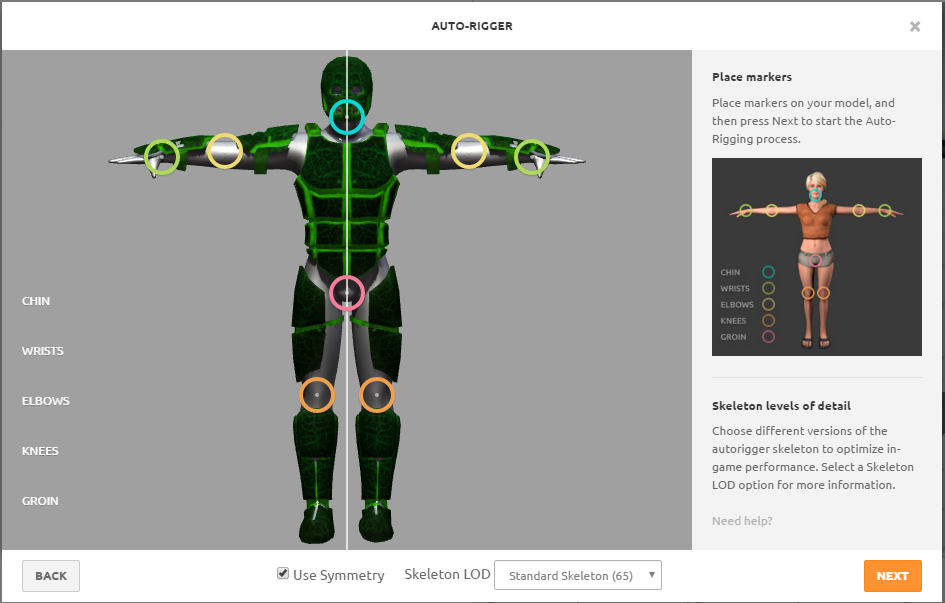
While I had finished some hand made animations, I have been looking at other possible options. One possible option is Mixamo. It allows you to upload an fbx file and their system can auto rig your model. I wanted to try it out and it worked scarily accurately.
After I got my model auto rigged, I tried importing the files into Unity. The files worked as far as I can tell, so now I can look for more animations to attach to my model. This may seem like a cheap and quick way of doing things, which technically it sort of is, I feel like it's the most efficient way. I'm focusing on becoming a character modeler/texture artist so if I can avoid doing animations the better for me. If I have to animate, I will, but if there's a quick and efficient way to speed up the process I'll try to take that path. I then can use my time helping others/working on new things.
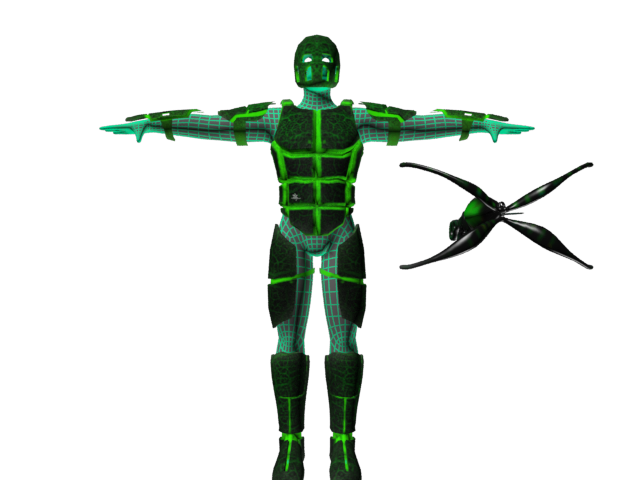
I finished the textures for the William Tell armor. I had based the textures off of the weapon textures. I wanted them to match or at least go together. I know in the original concepts everything was in black and white, but I never ended really intended to have the textures stay black and white. The concepts were merely to show the armor type/look. The base mesh texture is a wireframe composite material from 3ds Max, so in game engine it will only be plain gray. I'm thinking that the wireframe look can be done in unity using a shader. As for animations, I've been using some animations from last semester and trying to edit it to my liking.
Along with the armor, I felt that the crossbow could use a visual update. The previous crossbow wasn't bad, but it wasn't great either. I went for a futuristic look but also something eye catching. At the time that I was texturing I was thinking of an old project I did my first semester. It was a shooting game involving a lot of spiders. I based the textures off of that texture.
I finished the armor modeling. However, I had a lot of geometry that I felt that I could remove. In the hard surface modeling tutorial I watched, support edge loops were used a majority of the time. These loops helped with telling 3ds Max that the edge between the other two was a hard edge. Although these loops helped initially, this model is for a game, and geometry is limited, so I looked up trying to use smoothing groups on the model to achieve the same look but with less geometry.
Video on using smoothing groups for exporting in Mudbox.
I managed to use smoothing groups effectively. I was able to export my file into Mudbox while keeping the hard surface look that normally would have been smoothed out. I was able to optimize my model. Below is a comparison. Utilizing smoothing groups, I was able to cut my poly count by roughly 2500 while having little to no change in appearance.